CerebrixOS
Menu

Process diagnostic

Find out how work really runs, with your whole team.

Surveys, voice interviews and live meetings feed one diagnostic. Then a roadmap you can act on.

How it runs

From a question in chat to a roadmap.

  1. 01

    Set up

    In chat

    • Function or whole company
    • 16-function process library
    • Anonymity threshold
    • Retention, 1 to 60 months
  2. 02

    Invite

    Your team

    • One link
    • Personal email invitations
    • 2 reminders, counts only
  3. 03

    Gather

    Three ways

    • Everyone answers
    • Live meetings
    • Process owners' figures
  4. 04

    Review

    You decide

    • AI drafts the reading
    • You edit and approve
    • Numbers are checked
  5. 05

    Plan

    The roadmap

    • Heat map and process maps
    • AI and automation uses
    • Roadmap in waves

Gather

Three ways to hear from people.

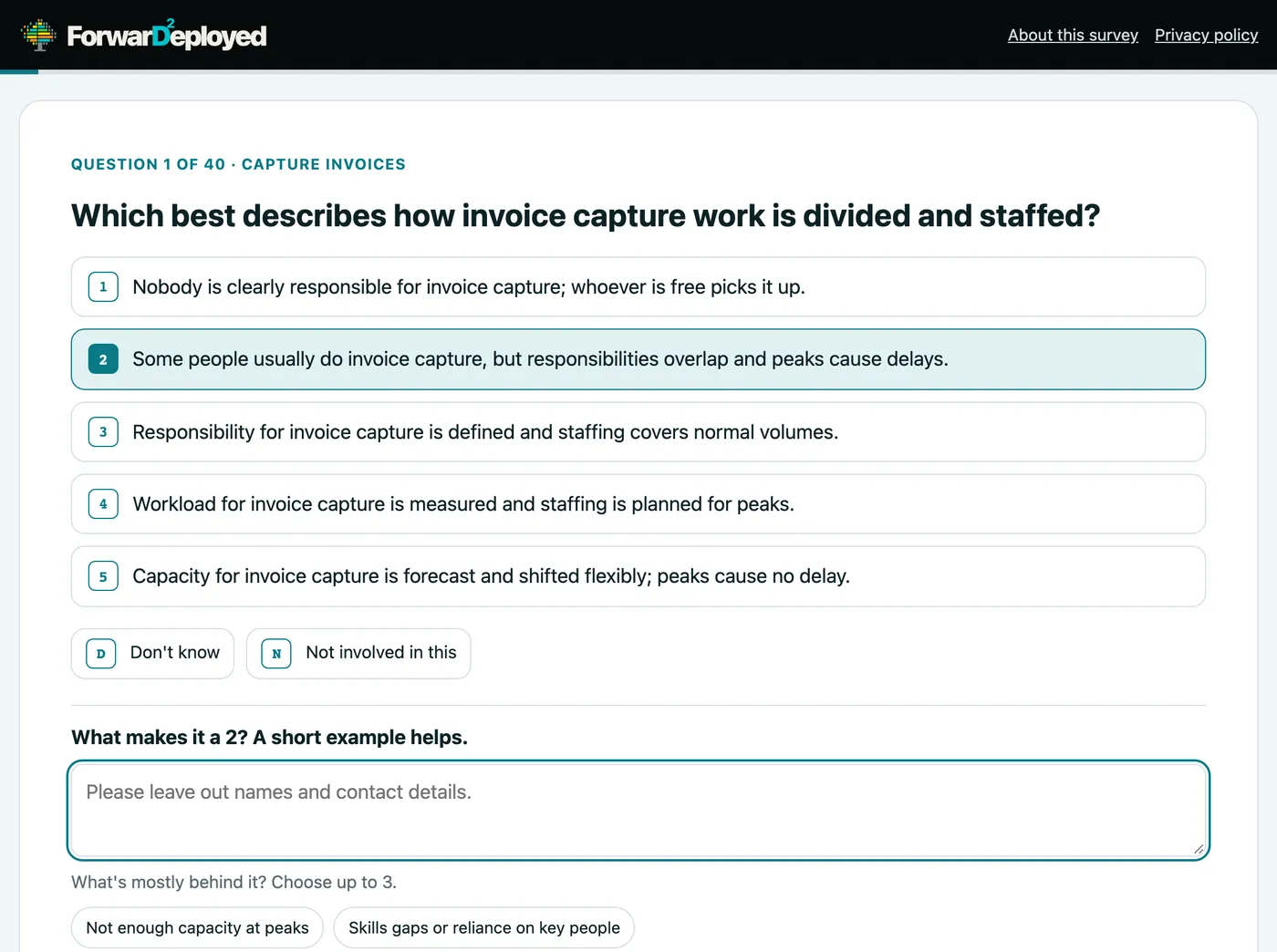
Screens from a real run on a sample finance survey.

Everyone answers

On their own, on any device.

  • Written conversation
  • Voice interviewer
  • Avatar interviewer

One question at a time. Anonymous: results only show for groups of the minimum size you set, 3, 5 or 10.
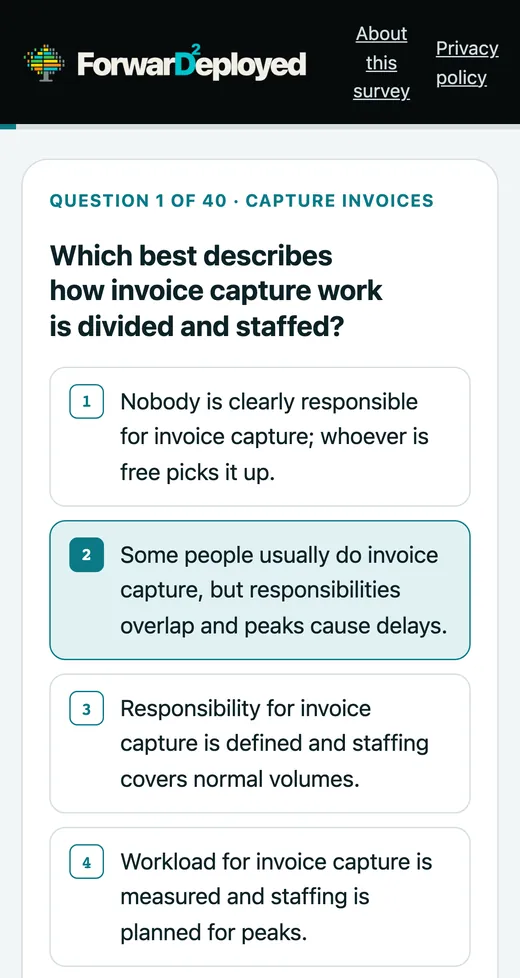

The same survey question on a phone.
Live meetings

Together, on video.

  • Individual
  • Collaborative
  • Moderated

Up to 16 people. Individual: answer privately. Collaborative: answer, then talk where views differ. Moderated: talk it through and agree.

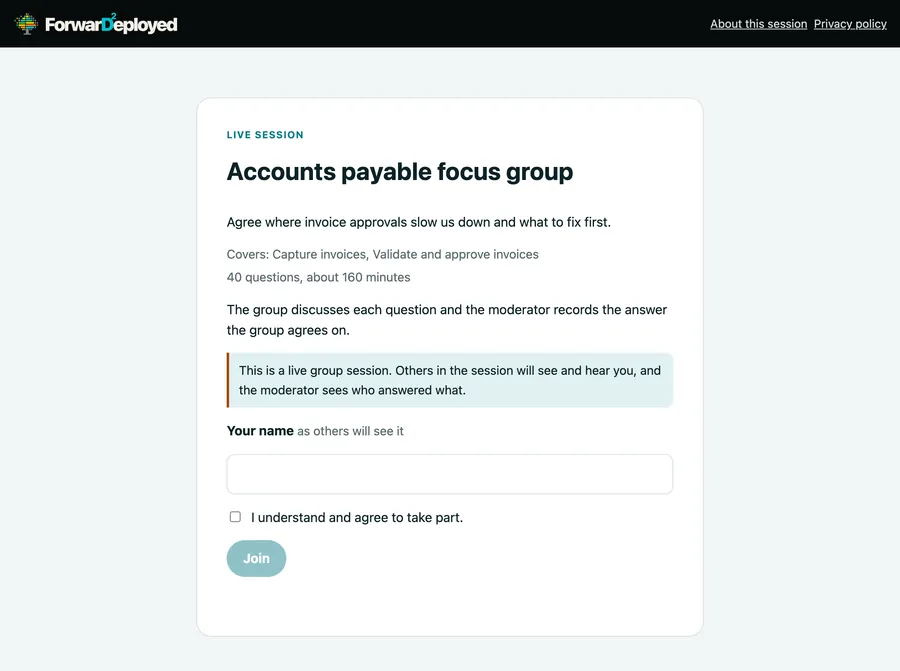
How to run one →The join screen for a live meeting.
Process owners

Add the figures.

  • Volumes
  • Staff
  • Rates
  • Outside spend

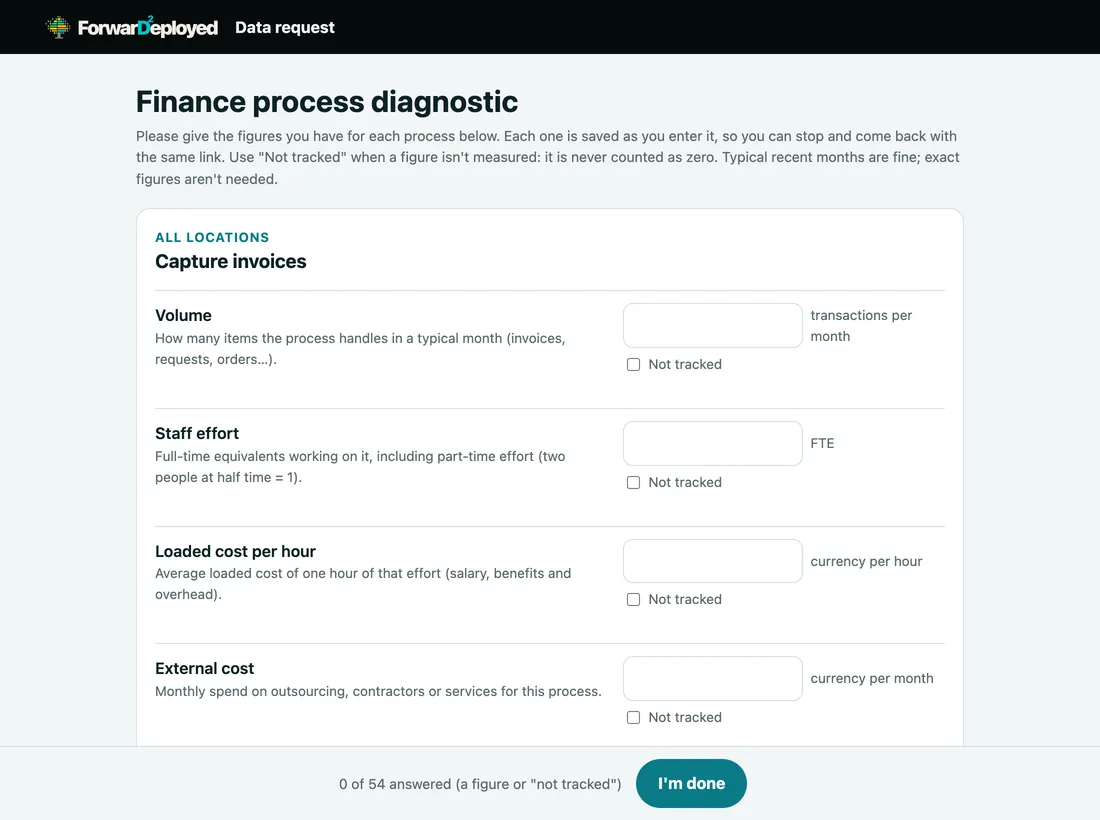
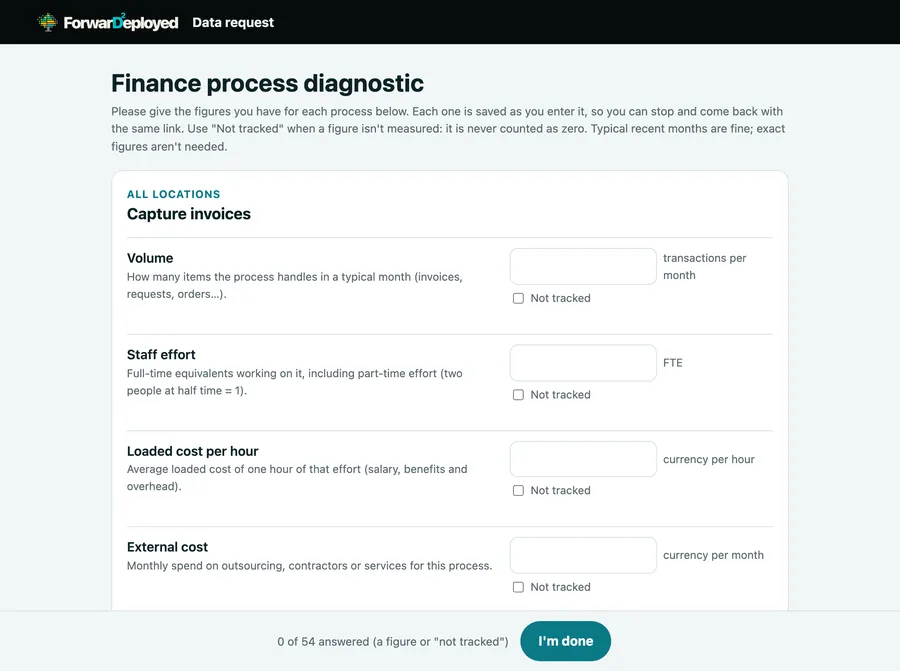
A short form by personal link. It feeds the baseline and the opportunities.

See the form →The data request form for one process.
A real survey question: five answer levels in plain words, Don't know and Not involved, and a short box asking why.
Everyone answers
  1. Five levels, in plain words.
  2. “Don't know” and “Not involved” are left out of the maths.
  3. A low or high score asks why: one nudge, never a block.
The data request form: volume, staff effort, loaded cost per hour and external cost, each with a Not tracked box.
Process owners add the figures
  1. Volumes, staff and rates, saved as they go.
  2. “Not tracked” is never counted as zero.

Live meetings

How to run a live meeting.

  1. 01

    Ask in chat

    Pick the format, the processes, the questions, the time and the size.

  2. 02

    Invite your team

    Moderators and observers get personal links by email. You can turn a link off at any time.

    • Host
    • Moderators
    • Observers
    • Up to 16 participants
  3. 03

    Share the link

    Everyone joins from a browser, with a camera and microphone. The join screen says it is not anonymous.

  4. 04

    Run it

    The host starts, moves everyone question by question, shares the spread, runs a second vote and records the agreed answer.

  5. 05

    Let the AI help the host

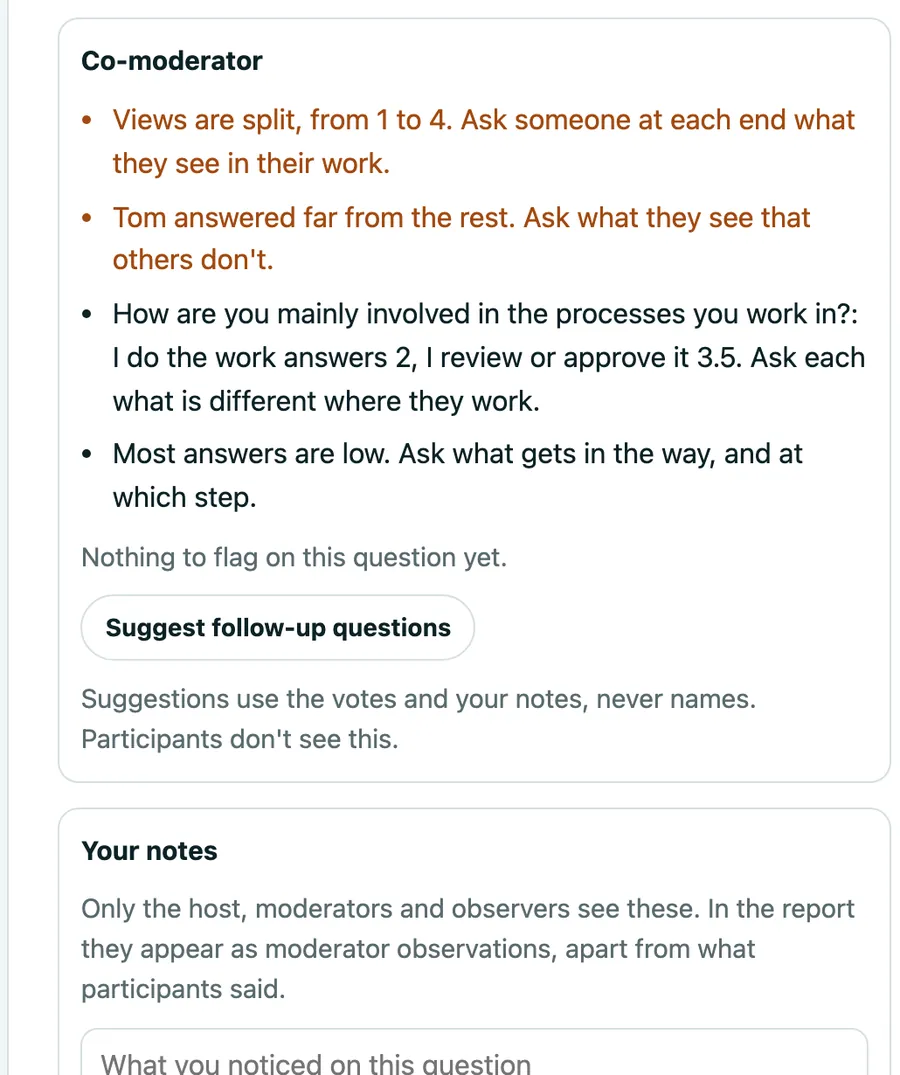
    The co-moderator flags split views and outliers, and drafts neutral follow-up questions. Participants never see it.

  6. 06

    End it

    The session ends for everyone. First votes, second votes and agreed answers go into the diagnostic.
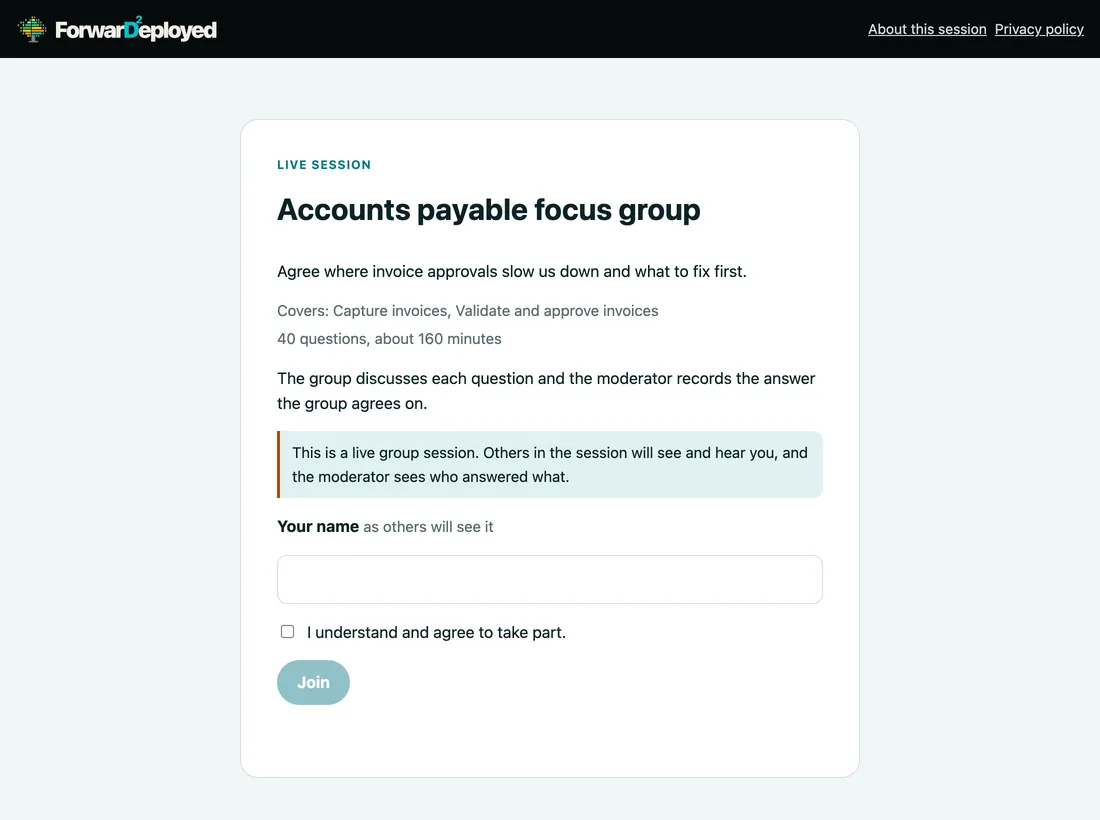
The join screen for a live focus group: its purpose, questions and minutes, a plain notice that it is not anonymous, a name field and a Join button.
Join a live meeting
  1. The purpose, the questions and the time.
  2. It says plainly that a live meeting is not anonymous.
  3. Join from a browser, with a name.
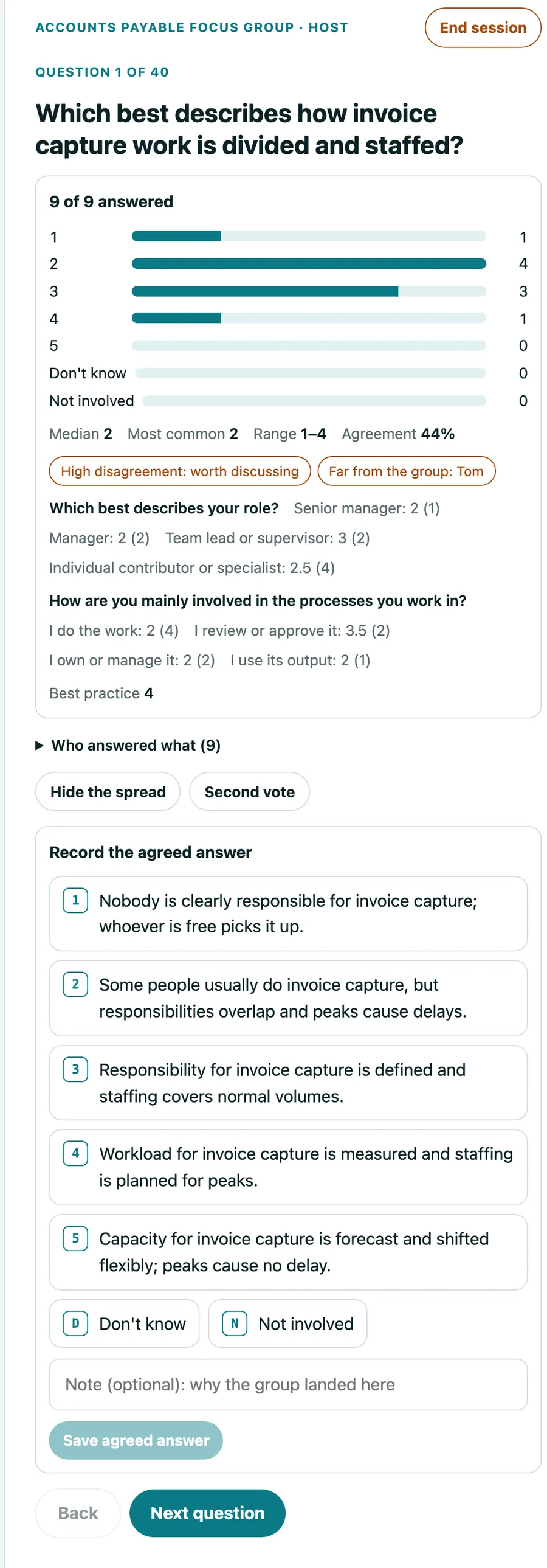
The host's view of a live meeting: nine of nine answered, the vote spread by level, a high-disagreement flag, who is far from the group, and the controls to run a second vote or record the agreed answer.
The host's view
  1. Who has answered, and the spread of votes: counts, never names.
  2. Flags: high disagreement, and who is far from the group.
  3. Second vote, then record the agreed answer.
The AI co-moderator's prompts for the host, a button to suggest follow-up questions, and a private notes box.
The AI co-moderator, for the host only
  1. Prompts from the votes: split views, outliers, who has not answered.
  2. Suggested follow-up questions, never with names.
  3. Private notes that appear in the report as moderator observations.

Recording and a transcribing note-taker are options where set up for your account.

What you get

The diagnostic, then the roadmap.

A sample diagnostic on a fictional finance function. Yours is built from your team's answers and figures.
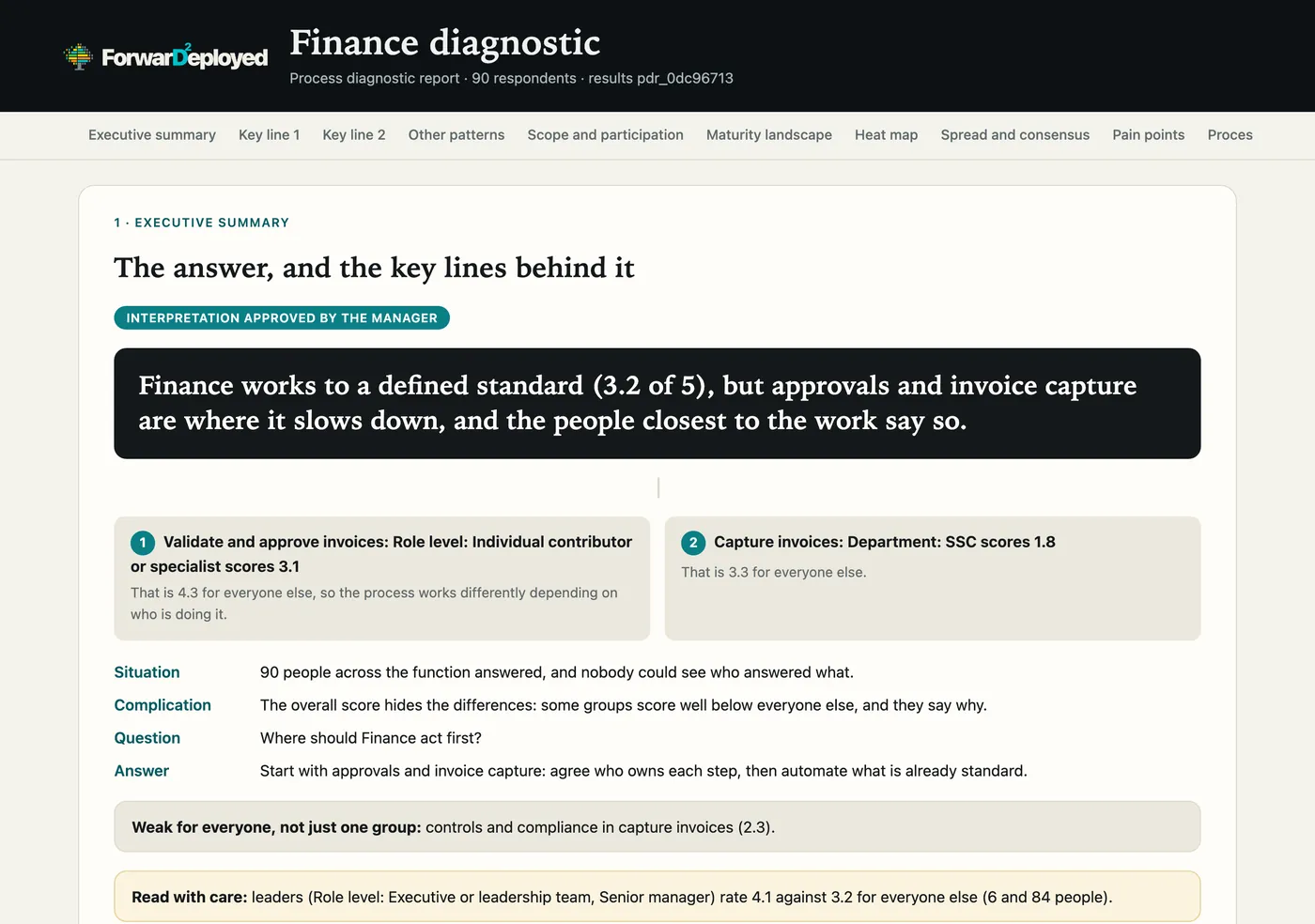
The diagnostic report's executive summary: a one-sentence answer, two key lines, and situation, complication, question and answer.
The answer, and the key lines behind it
  1. You approve the AI's reading before it counts.
  2. The answer in one sentence.
  3. Key lines, each backed by a pattern in the data.
  4. Situation, complication, question, answer.
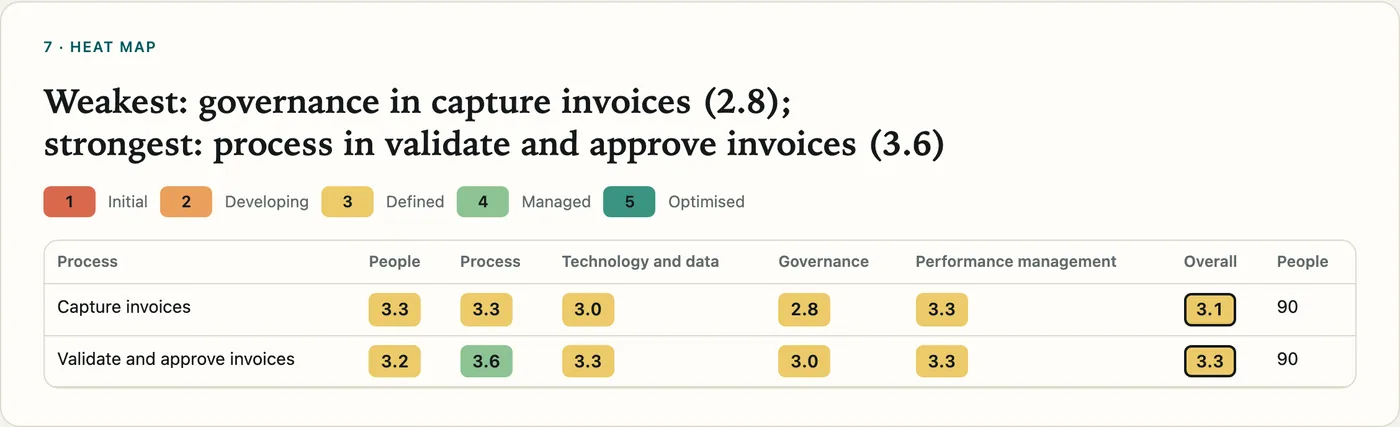
A heat map of two finance processes scored from 1 to 5 on people, process, technology and data, governance and performance management.
Heat map
  1. Weakest and strongest, in plain words.
  2. Five dimensions per process, scored 1 to 5.
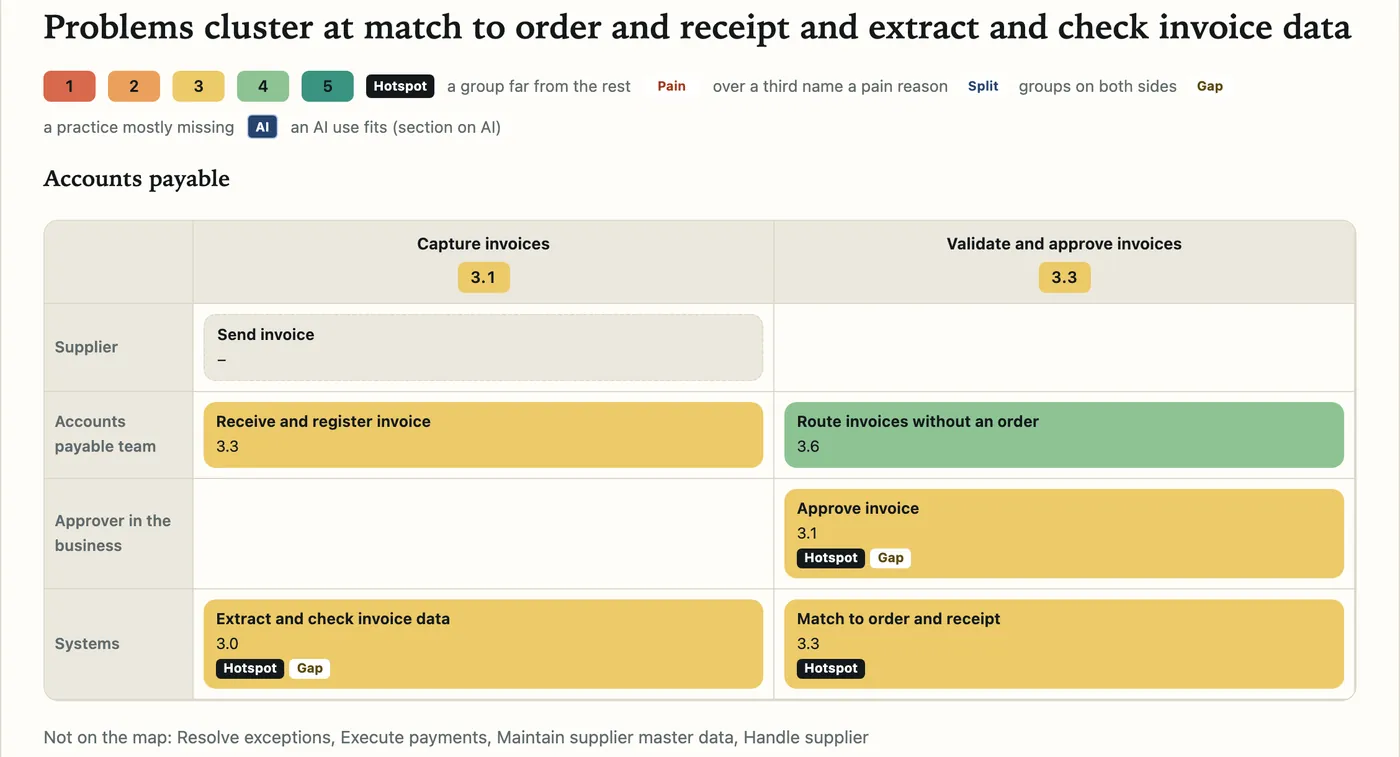
A standard process map for accounts payable with each step coloured by score and tagged as a hotspot or a gap.
Process maps
  1. A standard map for the process, in swim lanes.
  2. Each step scored, with hotspots and gaps tagged.
  3. Processes with too few answers are left off, never guessed.
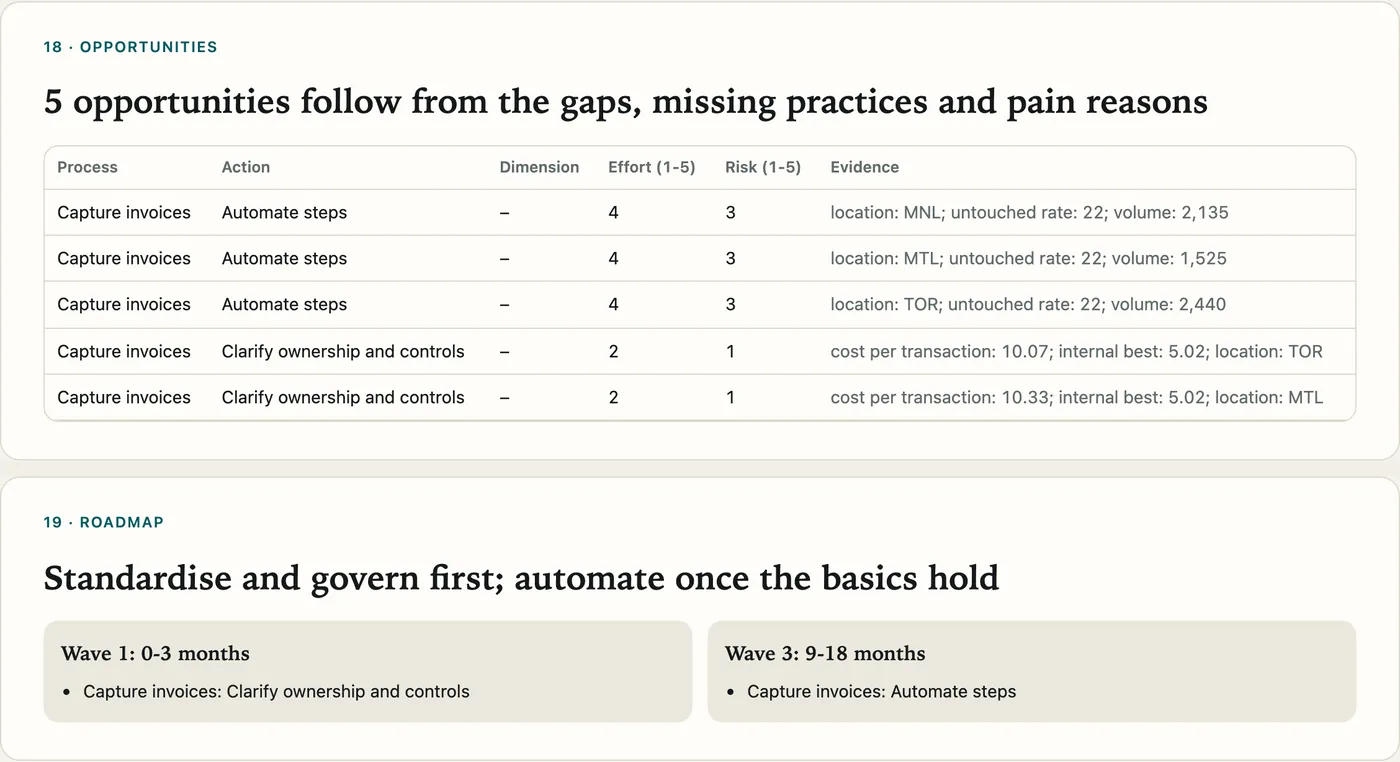
The report's opportunities, each with action, effort, risk and evidence, and a roadmap in waves.
Opportunities, then a roadmap
  1. Opportunities come from gaps, missing practices and pain reasons.
  2. A roadmap in waves: govern first, then automate.

Also in it

You stay in control.

What it costs: a fixed base, then usage up to a maximum you approve →

Try it in Claude, ChatGPT or any AI assistant: Run a process diagnostic on our finance function.

Sign in or create account → See an AI process audit → All examples →

Connector address for your AI assistant
https://forwardeployed.work/mcp